Developers overview
This section is for developers integrating Dialog into a custom or headless storefront: your own code, not the Shopify app block or the Prestashop module. Data ingestion is separate: see Catalog integration for the upload flow (Shopify app, Prestashop module, or API upload).
If you’re on managed Shopify or Prestashop and just need the catalog wired, you’re in the wrong section: go to Install on Shopify or Install on Prestashop. Not sure which side of that line you’re on? Find your install path.
API, SDK, or component package: what each one is for
Section titled “API, SDK, or component package: what each one is for”The four developer tools are not alternatives; they split along the same two concerns as every install:
- REST API: server-side, data only. Uploads your catalog, blog, and pages with your private key. It never renders anything and never runs in the browser.
@askdialog/dialog-sdk: frontend, no UI. Talks to Dialog, manages the assistant lifecycle and tracking; you build the UI shell around it. For frameworks without a Dialog package.@askdialog/dialog-reactand@askdialog/dialog-vue: frontend, with UI. Pre-built components on top of the same SDK. If your storefront is React or Vue, use these, not the bare SDK.
A typical custom integration uses the API (catalog, server-side) plus one of the frontend options (widget, client-side).
Pick by framework
Section titled “Pick by framework”| Your frontend | Use this |
|---|---|
| React (any storefront: Hydrogen, Next.js, Remix, custom CRA / Vite, etc.) | @askdialog/dialog-react: DialogProductBlock, DialogInput |
| Vue 3 (Nuxt, custom Vite, etc.) | @askdialog/dialog-vue: same components, Vue flavor |
| Svelte / SvelteKit, SolidJS, Lit, Astro, vanilla JS | @askdialog/dialog-sdk: vanilla SDK, build your own UI shell |
| Server-side templating (Twig, Blade, Liquid outside Shopify, ERB, etc.) | @askdialog/dialog-sdk: load it as a normal <script> and call the SDK from your client-side glue |
| No frontend dev available, non-Shopify / non-Prestashop | GTM drop-in: no code path, documented under Installation |
Rule of thumb: if there’s a Dialog package for your framework, use that. Don’t reach for the vanilla SDK on a React or Vue codebase: you’d be reinventing the components.
What you get
Section titled “What you get”Components (React, Vue)
Section titled “Components (React, Vue)”- A pre-built
DialogProductBlockfor product pages: renders suggestions and the assistant entry point. - A
DialogInputfor non-product pages (homepage, blog, collection). - Theme integration via the SDK constructor: colors, fonts, CTA shape.
- The full SDK underneath: you can still call
client.sendProductMessage,client.registerAddToCartEvent, etc. when you need to.
SDK (vanilla)
Section titled “SDK (vanilla)”- Class with
addToCart/getProductcallbacks,sendProductMessage/sendGenericMessage,getSuggestions, tracking methods, event listeners. - No UI: you build the question list and the input field, calling the SDK methods on user interaction.
Prerequisites for every path
Section titled “Prerequisites for every path”- Sign up at app.askdialog.com/sign-up.
- Create your Dialog organization. Choose a name, select the API Integration card, and configure:
- All locales you use on your store.
- All domains that host your store (e.g.
mystore.comandfr.mystore.comas separate entries).
- Get your public and private API keys from the dashboard (see below).
Where to find your API keys
Section titled “Where to find your API keys”In the Dialog dashboard, go to Account Settings → General. Your public API key is displayed at the bottom of the page. Click Copy to copy it.
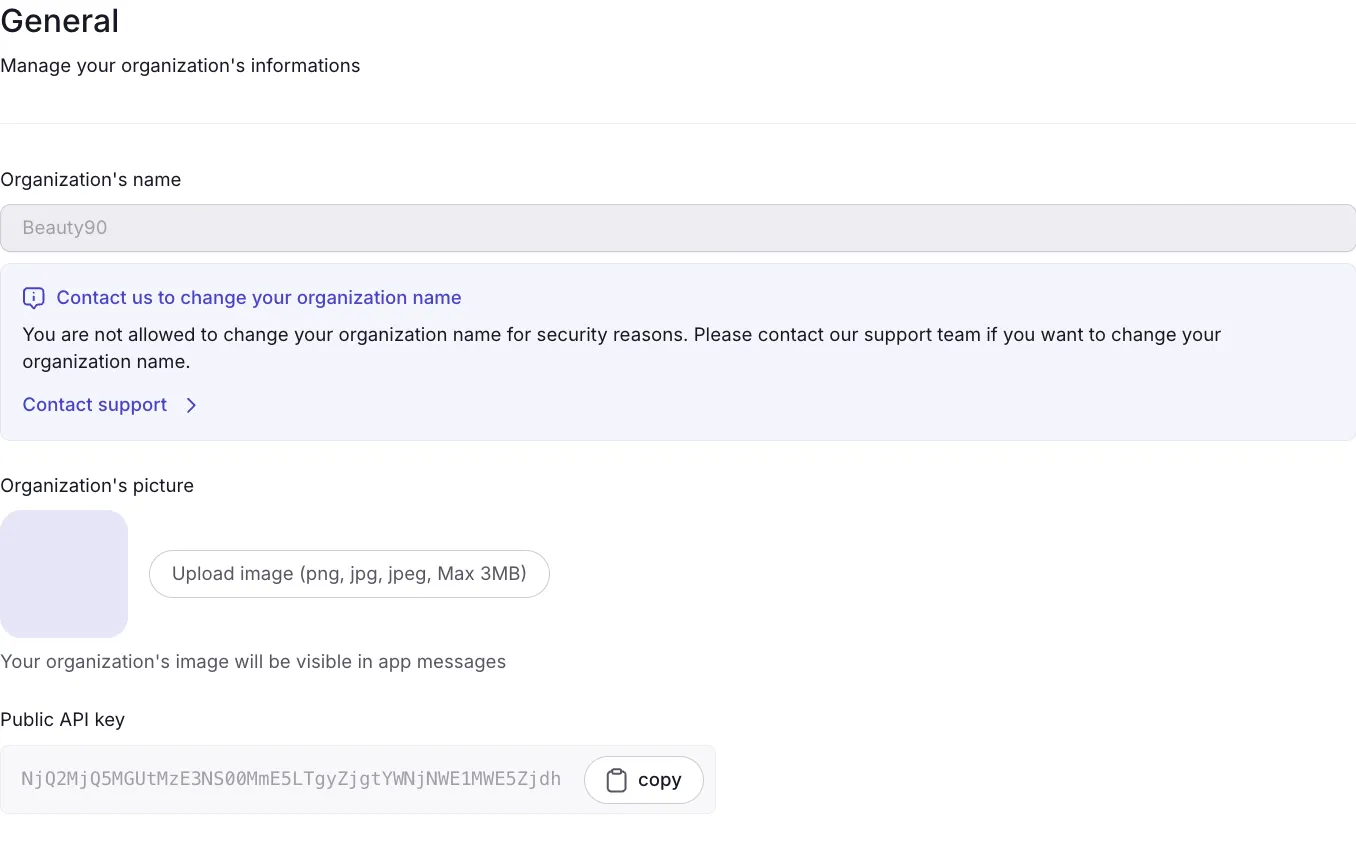
Your public key is used in your frontend code (Shopify app block, GTM snippet, SDK init, etc.). Your private key stays server-side and is only needed for catalog uploads via the API.
End-to-end workflow
Section titled “End-to-end workflow”Create account → Create organization → Get API keys ↓Upload catalog (+ optional blog, pages) [private key, server-side] ↓Install components OR SDK, depending on your framework ↓Wire addToCart and getProduct callbacks against your APIs ↓Wire tracking for side-cart and checkout (events outside the assistant) ↓Customize theme to match your brandWhat to read next
Section titled “What to read next”- SDK reference: class, methods, callbacks, types.
- React components: drop-in UI for React.
- Vue components: drop-in UI for Vue 3.
- API reference: REST endpoints for catalog upload.
- Catalog schema: the exact JSON shape your catalog must respect.
- Tracking SDK custom: wiring tracking events from your SDK install.